
Exchange Online Message Trace Support Using Graph API Preview

Hi All,
A few days ago Microsoft has released Information about Graph API Support for Message Trace. The Article is not very detailed so i had to invest some time to make it work.
- Exchange Team Blog Message Trace Support Using Graph API is now in Public Preview
- MS Learn Message trace (preview)
It’s more or less the Graph API equivalent of Exchange Online Message Trace V2
Graph Explorer
I started first with the Graph Explorer and the URL below
https://graph.microsoft.com/beta/admin/exchange/tracing/messageTraces
Error Message: Service principal-less Authentication failed: the service principal for App ID 8bd644d1-64a1-4d4b-ae52-2e0cbf64e373 was not found. Please create a service principal for this app in your tenant. Provisioning may take several hours to complete. For details, see: https://learn.microsoft.com/entra/identity-platform/retire-service-principal-less-authentication?branch=main#create-a-service-principal
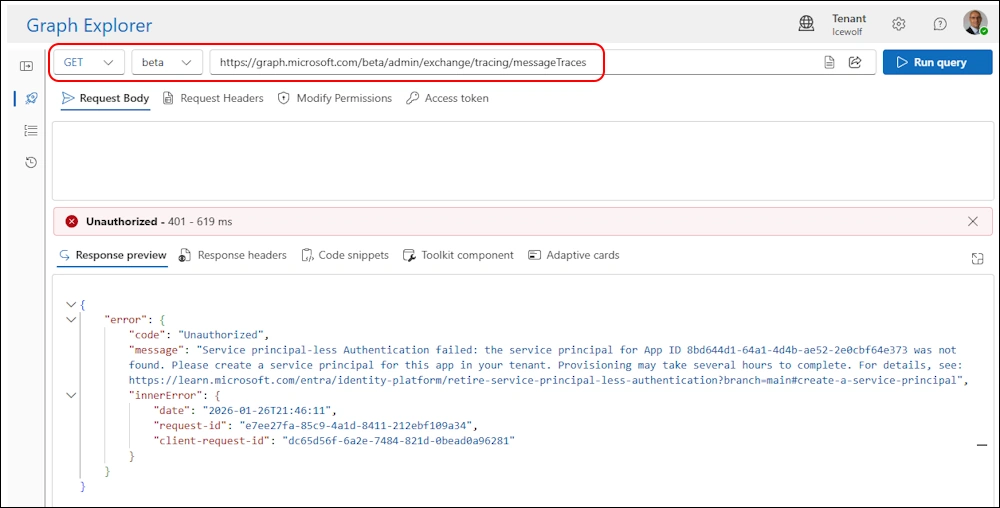
Create Service Principal
Seems we need to Create an enterprise application from a multitenant application fist
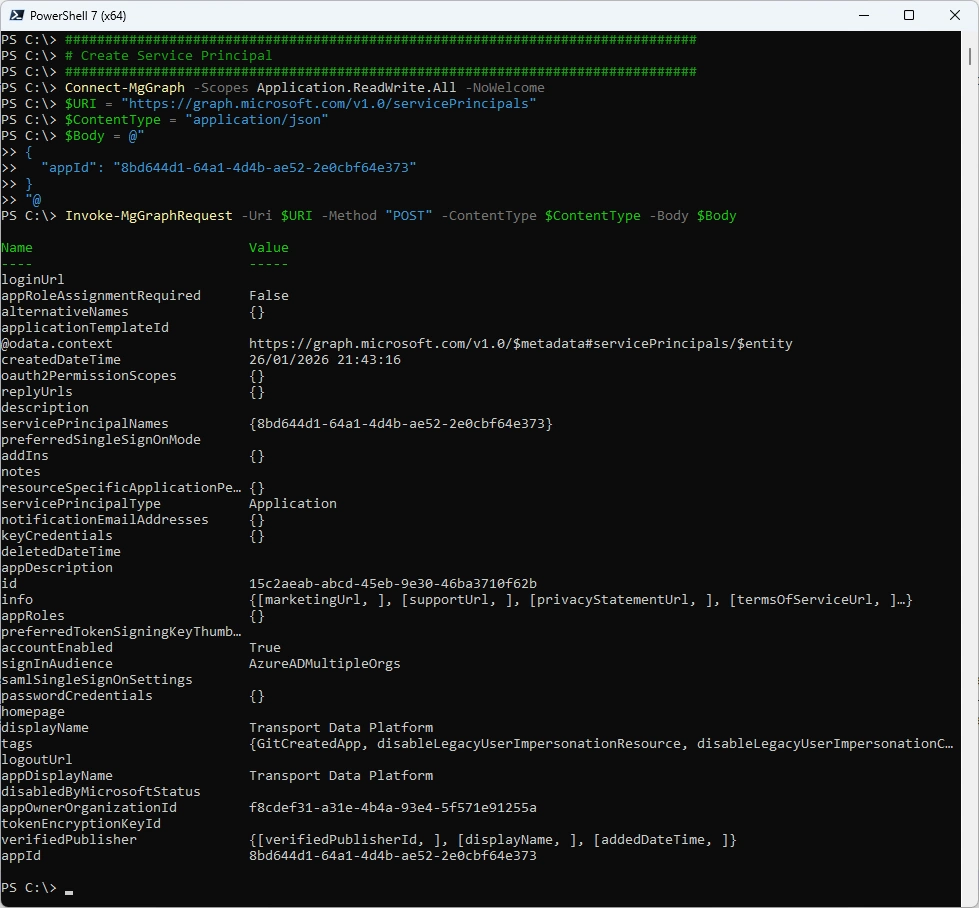
Here is some code with the Microsoft.Graph Module. After that it might take a few hours until everything is provisioned.
###############################################################################
# Create Service Principal
###############################################################################
Connect-MgGraph -Scopes Application.ReadWrite.All -NoWelcome
$URI = "https://graph.microsoft.com/v1.0/servicePrincipals"
$ContentType = "application/json"
$Body = @"
{
  "appId": "8bd644d1-64a1-4d4b-ae52-2e0cbf64e373"
}
"@
Invoke-MgGraphRequest -Uri $URI -Method "POST" -ContentType $ContentType -Body $Body
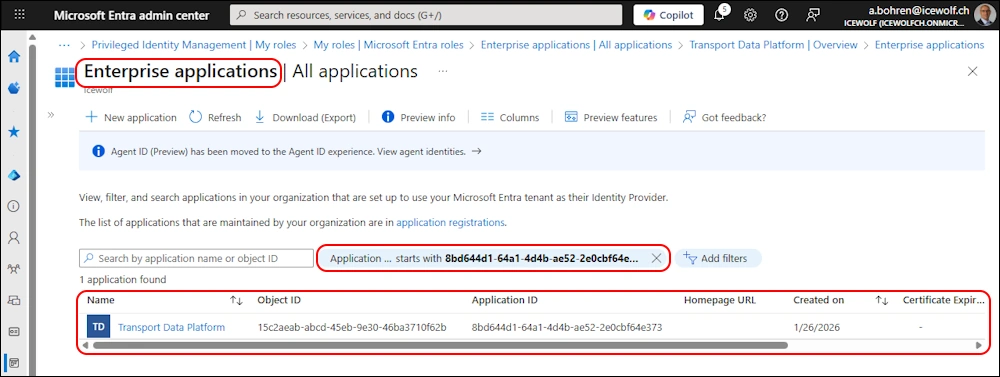
In the Entra Portal under Enterprise Applications you can see the new Enterprise Application
If you ever have the need to delete the Service Principal - here is the code
###############################################################################
# Delete Service Principal
###############################################################################
Connect-MgGraph -Scopes Application.ReadWrite.All -NoWelcome
$URI = "https://graph.microsoft.com/v1.0/servicePrincipals(appId='8bd644d1-64a1-4d4b-ae52-2e0cbf64e373')"
Invoke-MgGraphRequest -Uri $URI -Method "DELETE"
Graph Explorer 2
Now it works in the Graph Explorer
https://graph.microsoft.com/beta/admin/exchange/tracing/messageTraces
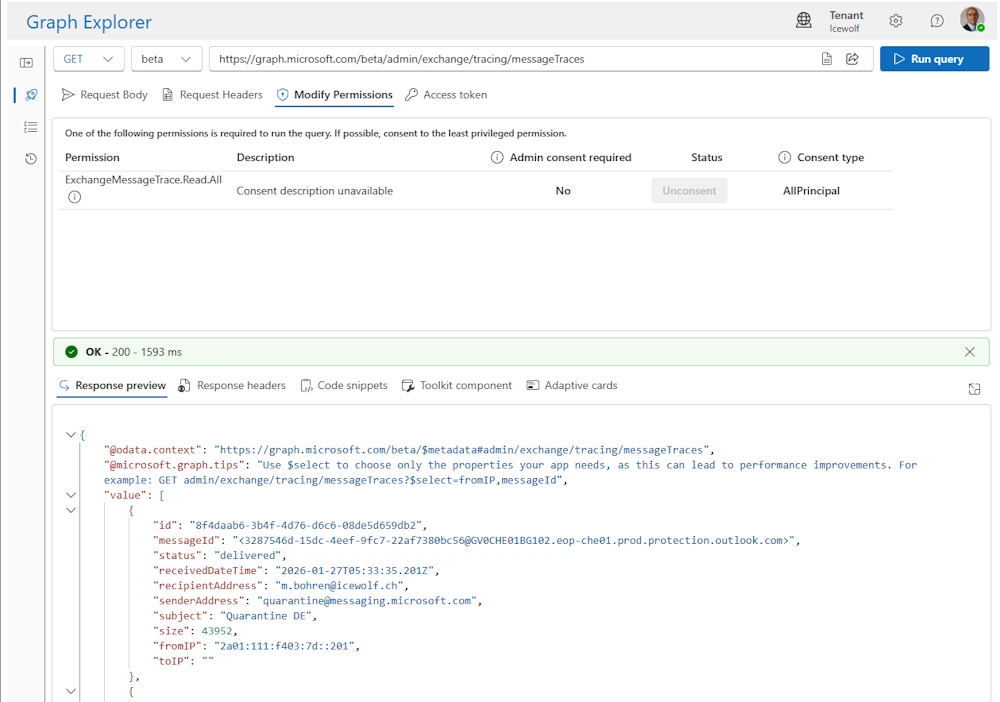
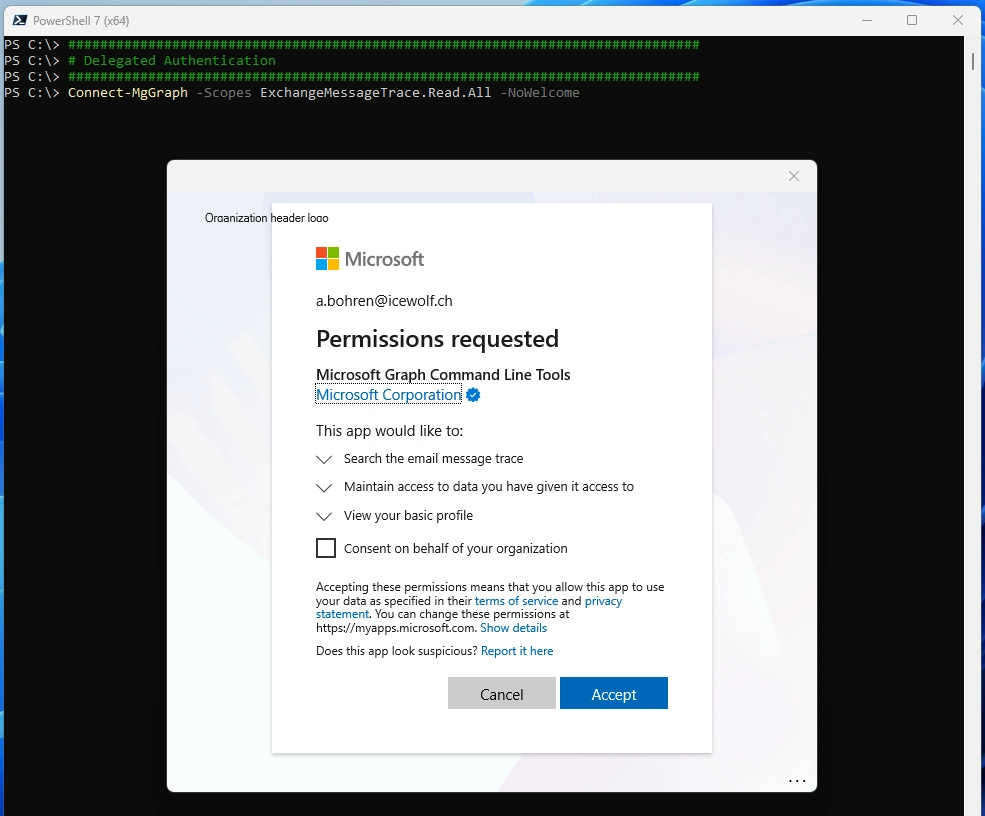
Delegated Authentication
You can use Delegated Authentication / Interactive Logon
###############################################################################
# Delegated Authentication
###############################################################################
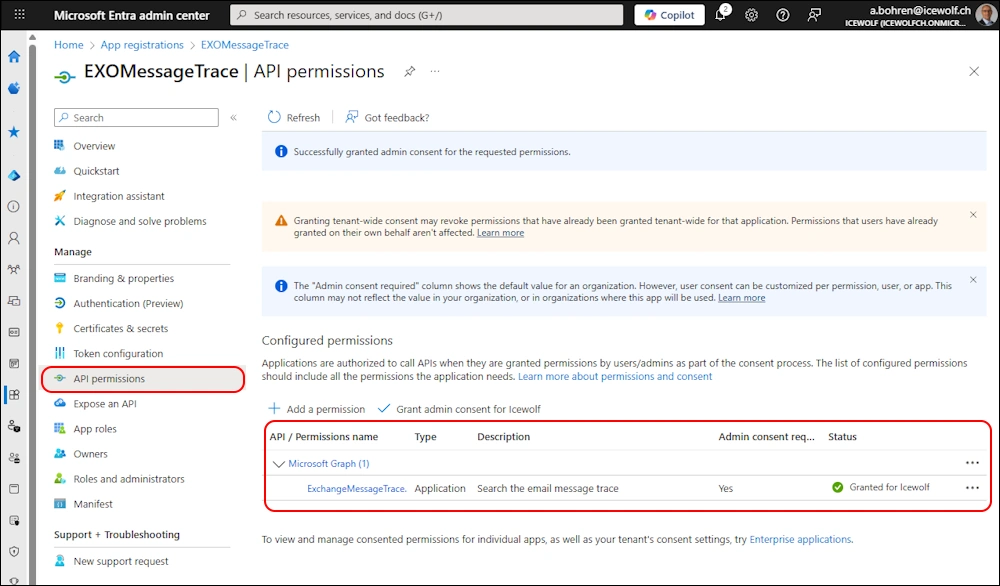
Connect-MgGraph -Scopes ExchangeMessageTrace.Read.All -NoWelcome
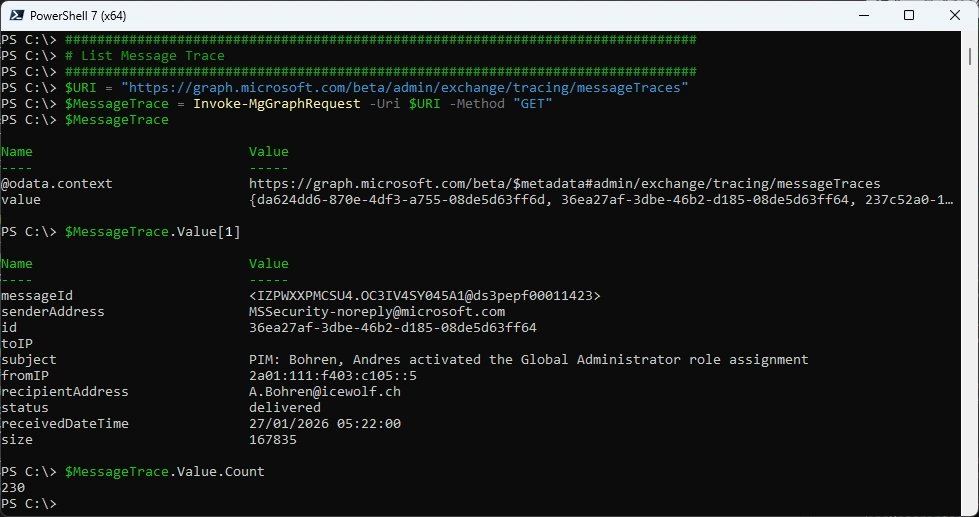
List Message Trace
###############################################################################
# List Message Trace
###############################################################################
$URI = "https://graph.microsoft.com/beta/admin/exchange/tracing/messageTraces"
$MessageTrace = Invoke-MgGraphRequest -Uri $URI -Method "GET"
$MessageTrace
$MessageTrace.Value[1]
$MessageTrace.Value.Count
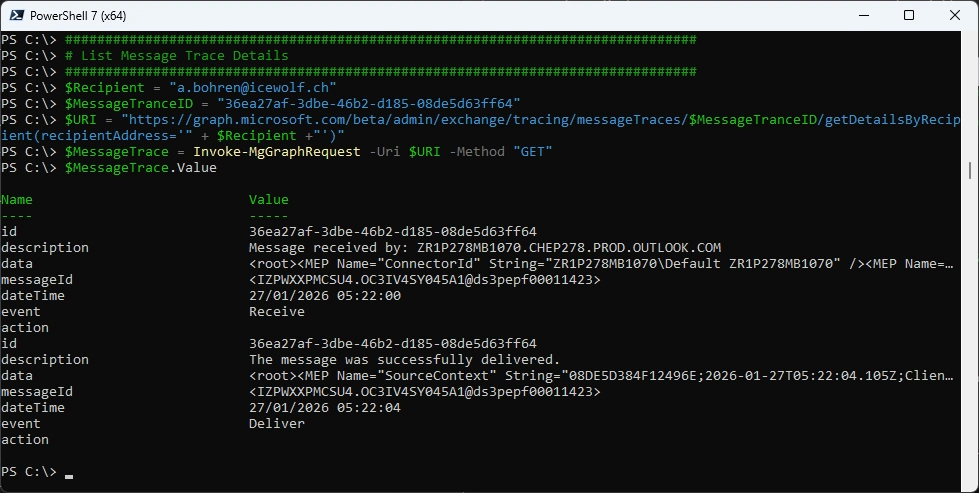
Message Trace Details with the MessageTraceId from List Message Trace and the Recipient
###############################################################################
# List Message Trace Details
###############################################################################
$Recipient = "a.bohren@icewolf.ch"
$MessageTranceID = "36ea27af-3dbe-46b2-d185-08de5d63ff64"
$URI = "https://graph.microsoft.com/beta/admin/exchange/tracing/messageTraces/$MessageTranceID/getDetailsByRecipient(recipientAddress='" + $Recipient +"')"
$MessageTrace = Invoke-MgGraphRequest -Uri $URI -Method "GET"
$MessageTrace.Value
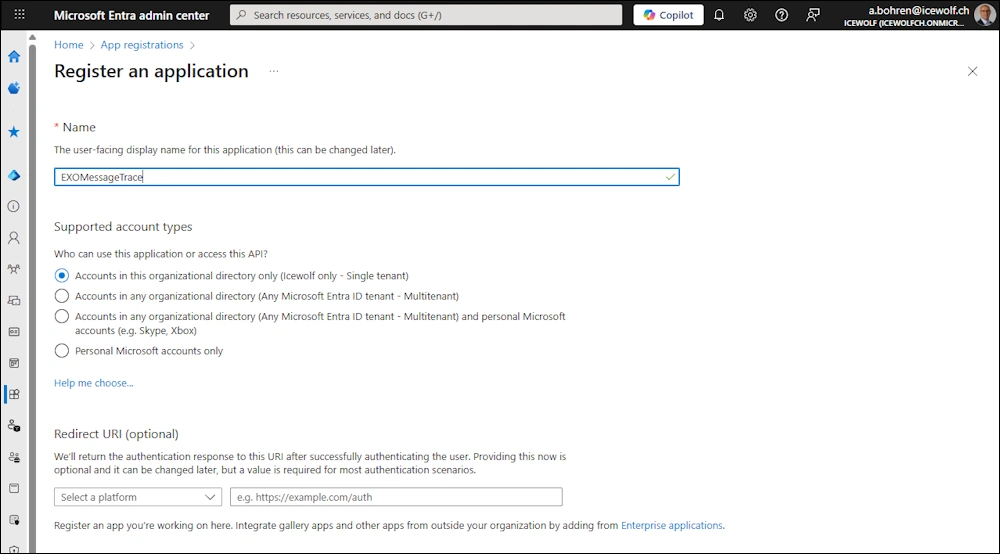
Entra Application
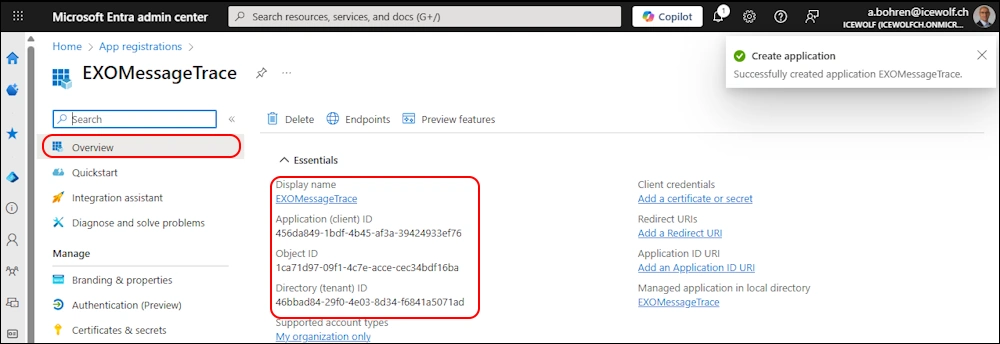
Create a new Entra Application
Overview of the Entra Application
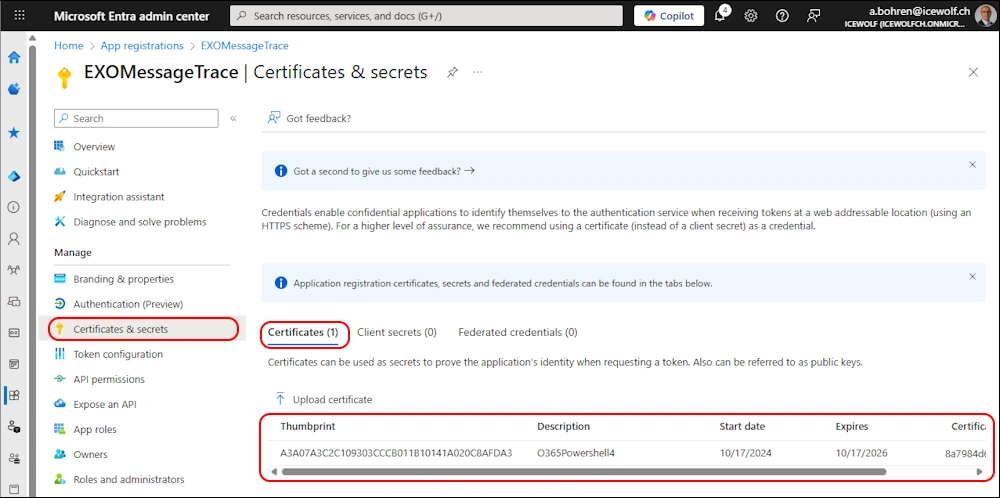
Upload the Certificate for Authentication
Permissions: ExchangeMessageTrace.Read.All
Authentication
Authenticate with the AppID and Certificate
###############################################################################
# Connect-MgGraph with Entra App Registration and Certificate
###############################################################################
$TenantId = "46bbad84-29f0-4e03-8d34-f6841a5071ad"
$AppID = "456da849-1bdf-4b45-af3a-39424933ef76" # EXOMessageTrace
$CertificateThumbprint = "A3A07A3C2C109303CCCB011B10141A020C8AFDA3" #O365Powershell4.cer
Connect-MgGraph -AppId $AppId -CertificateThumbprint $CertificateThumbprint -TenantId $TenantId -NoWelcome

Message Trace
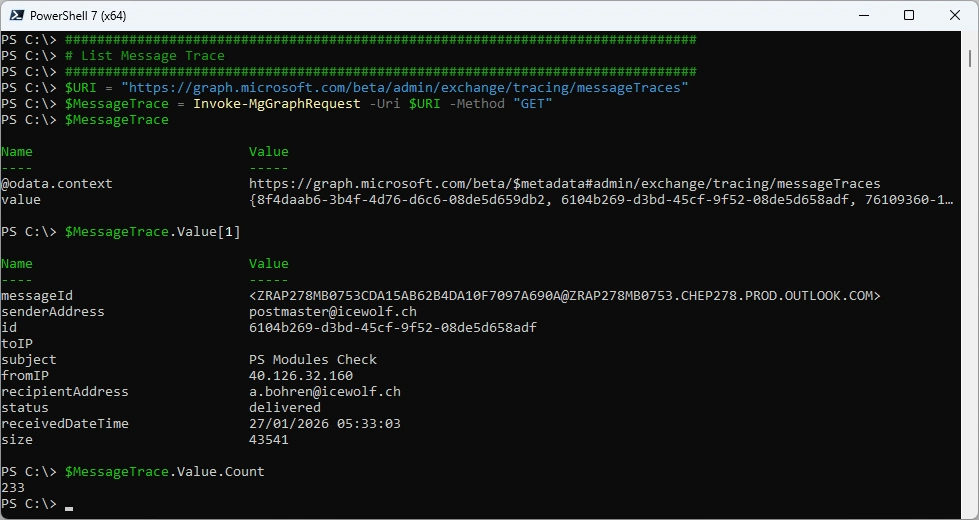
Let’s do a Message Trace
###############################################################################
# List Message Trace
###############################################################################
$URI = "https://graph.microsoft.com/beta/admin/exchange/tracing/messageTraces"
$MessageTrace = Invoke-MgGraphRequest -Uri $URI -Method "GET"
$MessageTrace
$MessageTrace.Value[1]
$MessageTrace.Value.Count
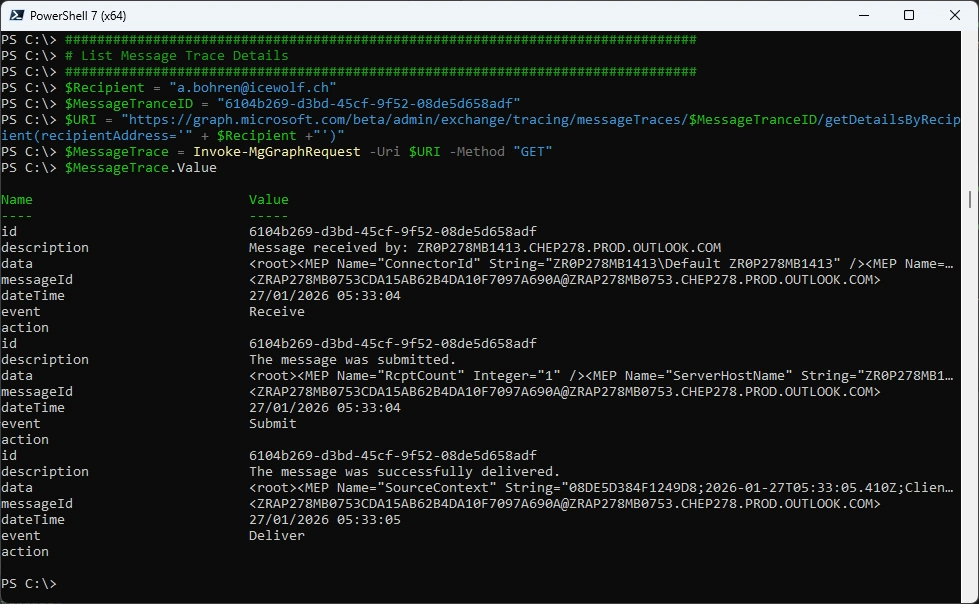
Message Trace Details with the MessageTraceId from List Message Trace and the Recipient
###############################################################################
# List Message Trace Details
###############################################################################
$Recipient = "a.bohren@icewolf.ch"
$MessageTranceID = "6104b269-d3bd-45cf-9f52-08de5d658adf"
$URI = "https://graph.microsoft.com/beta/admin/exchange/tracing/messageTraces/$MessageTranceID/getDetailsByRecipient(recipientAddress='" + $Recipient +"')"
$MessageTrace = Invoke-MgGraphRequest -Uri $URI -Method "GET"
$MessageTrace.Value
Filtering
You can search in a Window from 10 Days and use the Filter for a more specific Search
###############################################################################
# Filter by Date and Recipient
###############################################################################
$StartDate = (Get-Date).AddDays(-10).toString("yyyy-MM-ddT00:00:00Z")
$EndDate = (Get-Date).ToString("yyyy-MM-ddT00:00:00Z")
$Recipient = "a.bohren@icewolf.ch"
$Uri = "https://graph.microsoft.com/beta/admin/exchange/tracing/messageTraces?`$filter=receivedDateTime ge $StartDate and receivedDateTime le $EndDate and recipientAddress eq '" + $Recipient + "'"
$MessageTrace = Invoke-MgGraphRequest -Method GET -Uri $Uri
$MessageTrace.Value[1]
$MessageTrace.Value.Count

Summary
As an Exchange Admin i would probably still use Get-MessageTraceV2 and Get-MessageTraceDetailV2 from the ExchangeOnlineManagement PowrShell Module.
But it’s good to have an alternative and are able to do Message Trace just by the Graph API.
Regards
Andres Bohren
EntraID Logo Exchange Logo PowerShell Logo

